A consistent welcome
ANDDAV artwork follows you from the boot screen to login. A first-login welcome helps you choose software, check updates and get started.
 ANDDAV OS
A GNOME desktop built on Debian 13, brought together with ANDDAV branding, useful everyday apps and room to make it your own.
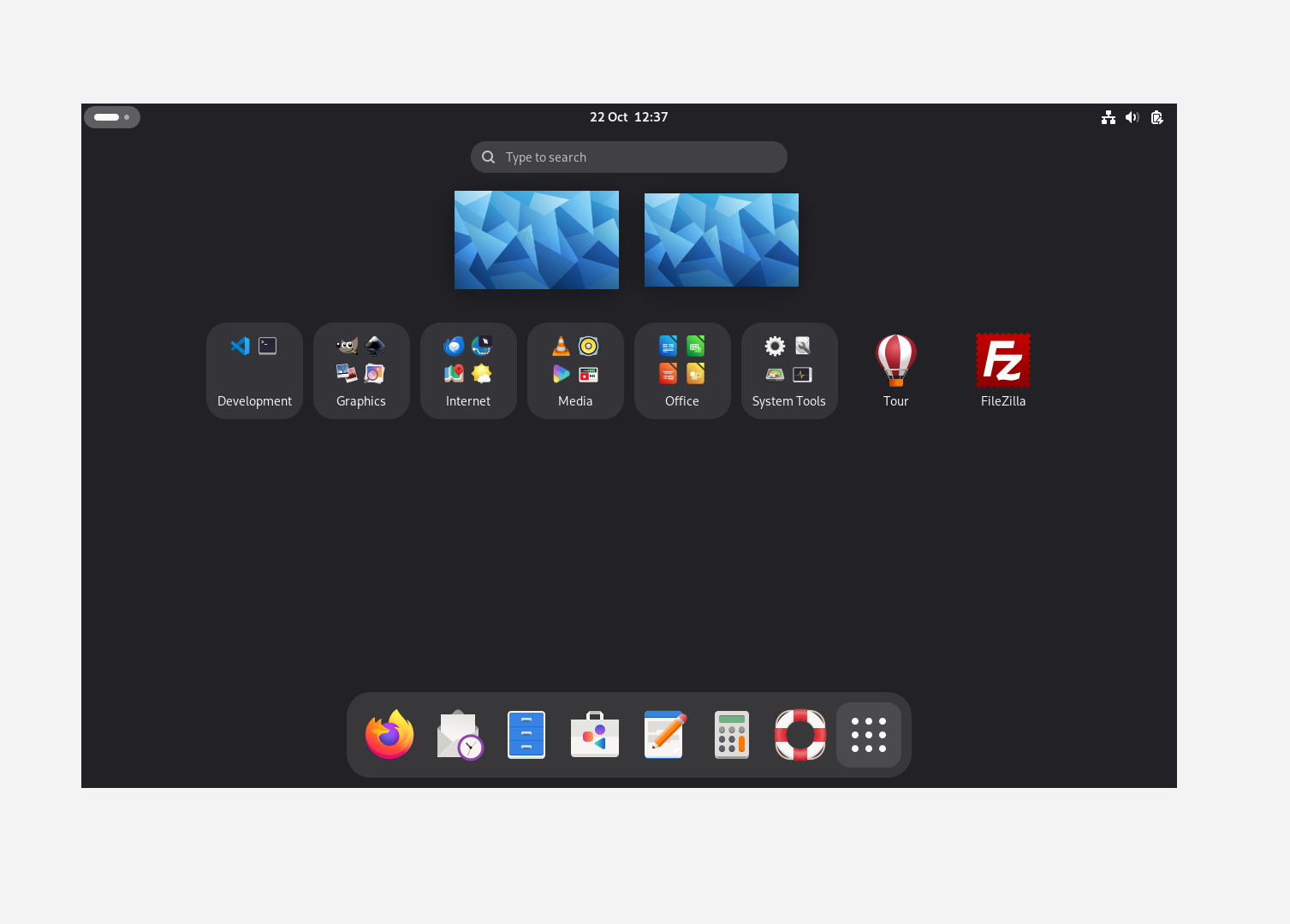
A considered starting point
Familiar foundations, a personal finish, and a desktop ready for everyday work.
ANDDAV artwork follows you from the boot screen to login. A first-login welcome helps you choose software, check updates and get started.
Six app folders keep things easy to find. Rename them, move apps and choose your own avatar. Your changes are preserved.
Browse with Firefox ESR, write with LibreOffice, listen with VLC and create with GIMP and Inkscape. Thunderbird handles your email.
Add what you need
Recommended Software makes a few useful extras easy to install. Nothing is selected for you, and apps already installed are recognised.
Find more applications and updates in GNOME Software, with Debian packages and Flathub support.
Code editing and development
FTP, FTPS and SFTP transfers
Audio recording and editing
Screen recording and streaming
Optional downloads need internet access and free disk space. Each app has its own licence. VS Code downloads directly from Microsoft; FileZilla and Audacity on Flathub are community-maintained.
Take it for a spin
Explore the live desktop before deciding to install. Connect to the internet before starting installation; bootloader packages may need to be downloaded.
Get the 64-bit ISO and compare its SHA-256 checksum to check your download.
Write the ISO with Rufus in DD mode, then select the USB in your computer’s boot menu. Writing erases the USB.
Try your hardware in the live session. Back up your files and review the destination disk carefully before installing.
Start something new
Version 1.0 for 64-bit Intel and AMD PCs.
One image for the live desktop and graphical installer.
amd64 · ISO image · 2.85 GB
The download is being prepared for publication.
Download coming soonNo registration. Start with the ISO; the source archive is a separate, optional download.
f0525d8588d60858575553edee70a00e814c55a39c850a3bd576147f123ec842
For your existing installation
Enable signed ANDDAV updates without reinstalling. Your avatar, app folders and welcome preferences are preserved.
For installed ANDDAV OS 1.0 systems · Internet required · OS version stays 1.0
sudo python3 install-anddav-updates.pysudo python3 install-anddav-updates.py --applyThe setup checks existing ANDDAV files and creates backups before adopting them into packages. If it reports a modified-file conflict or another error, stop and keep the message for support. Run it from your installed system, not the live USB.
Archive signing fingerprint:35330D6D71A10932C776BA6216E91A7BDDCB32BD
ANDDAV is an independent Debian-based distribution. Matching source and customisation files accompany the binary release. Proprietary firmware retains its own licence; source packages do not provide unpublished firmware source code.
A few things to know
First release. Clear expectations.
ANDDAV OS targets 64-bit Intel and AMD PCs. Tests covered BIOS and UEFI VirtualBox installations and a live USB session on a Dell XPS 13 9380. Other hardware may differ, so try the live USB first. Apple Silicon is not supported by this amd64 image.
Test VMs used 4 GB RAM and a 30 GB BIOS disk or 40 GB UEFI disk. These are tested configurations, not guaranteed minimums. Leave additional space for applications, Flatpak runtimes and your files.
A live USB without persistence forgets settings, installed apps and Wi-Fi passwords after restarting. The installed system retains them. Live writable space is limited.
Secure Boot, encrypted installation, dual boot and hibernation have not been validated for 1.0. The release notes describe the tested scope and known limitations.
Newly installed apps may need a logout and login before entering their folder. Placement depends on the app’s category metadata. Your own folder changes are preserved.
Email andrewdavies@anddav.net with your computer model, whether you are using the live or installed system, what happened and steps to reproduce it. Do not send passwords or other private information.